
Turn your Temu orders into PDF documents
Save hours every month. One click does it all.
How it works
Temu Invoice Generator in 4 steps
-
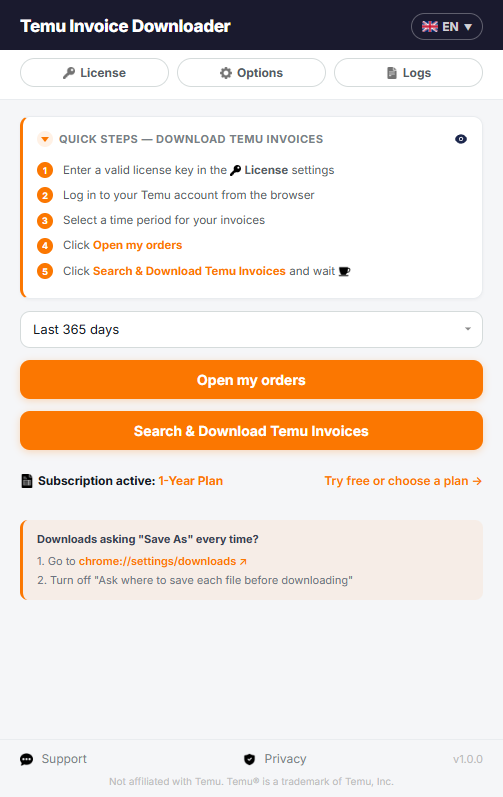
1Install the extension from the Chrome Web Store.
-
2Activate it with your license key.
-
3Choose the document type and a time period.
-
4Click "Search & Download", tick the orders you want and confirm. Every PDF is saved and organized automatically.
Documents in 11 languages: English, Italiano, Español, Deutsch, Français, Português, Nederlands, Svenska, Dansk, Suomi and Magyar

Features
Two document types
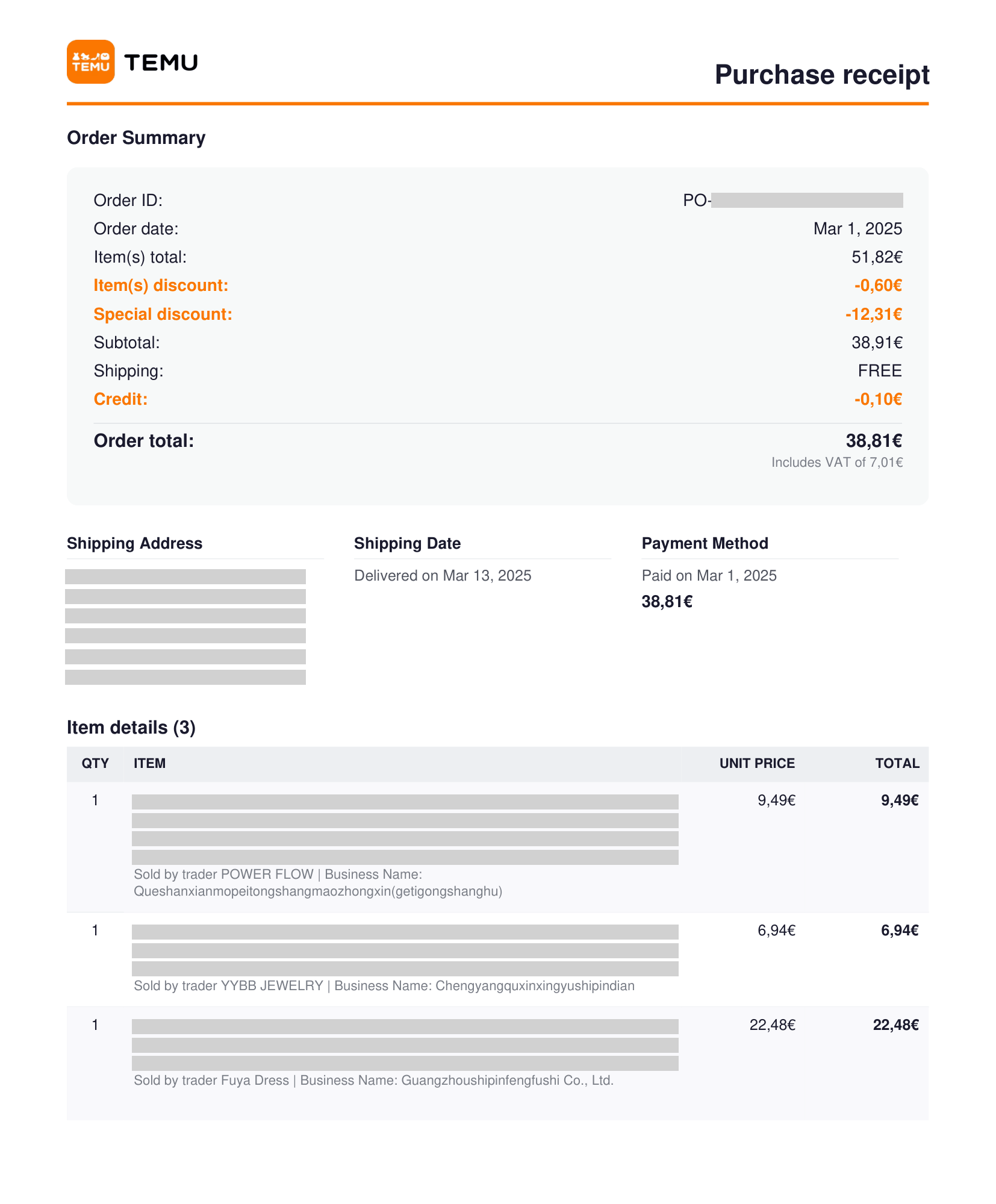
Download purchase receipts or generate numbered accounting documents, with items and sellers for every order.
Automatic numbering
Add your company details (name, address, VAT number) and choose a numbering format. Each document takes the next number, shown next to each order before you download.
Batch download
Select any time period and get a PDF for every order, with custom file names and folders. Interrupted? Resume anytime.
Multilingual interface & documents
Documents and interface in English, Italiano, Español, Deutsch, Français, Português, Nederlands, Svenska, Dansk, Suomi and Magyar.
Real-time progress
Watch every step live: a progress bar with done and failed orders, plus a running log of each PDF downloaded.
Secure processing
Your order data never leaves your computer: PDFs are generated locally and saved straight to your device. Nothing is shared with third parties.