
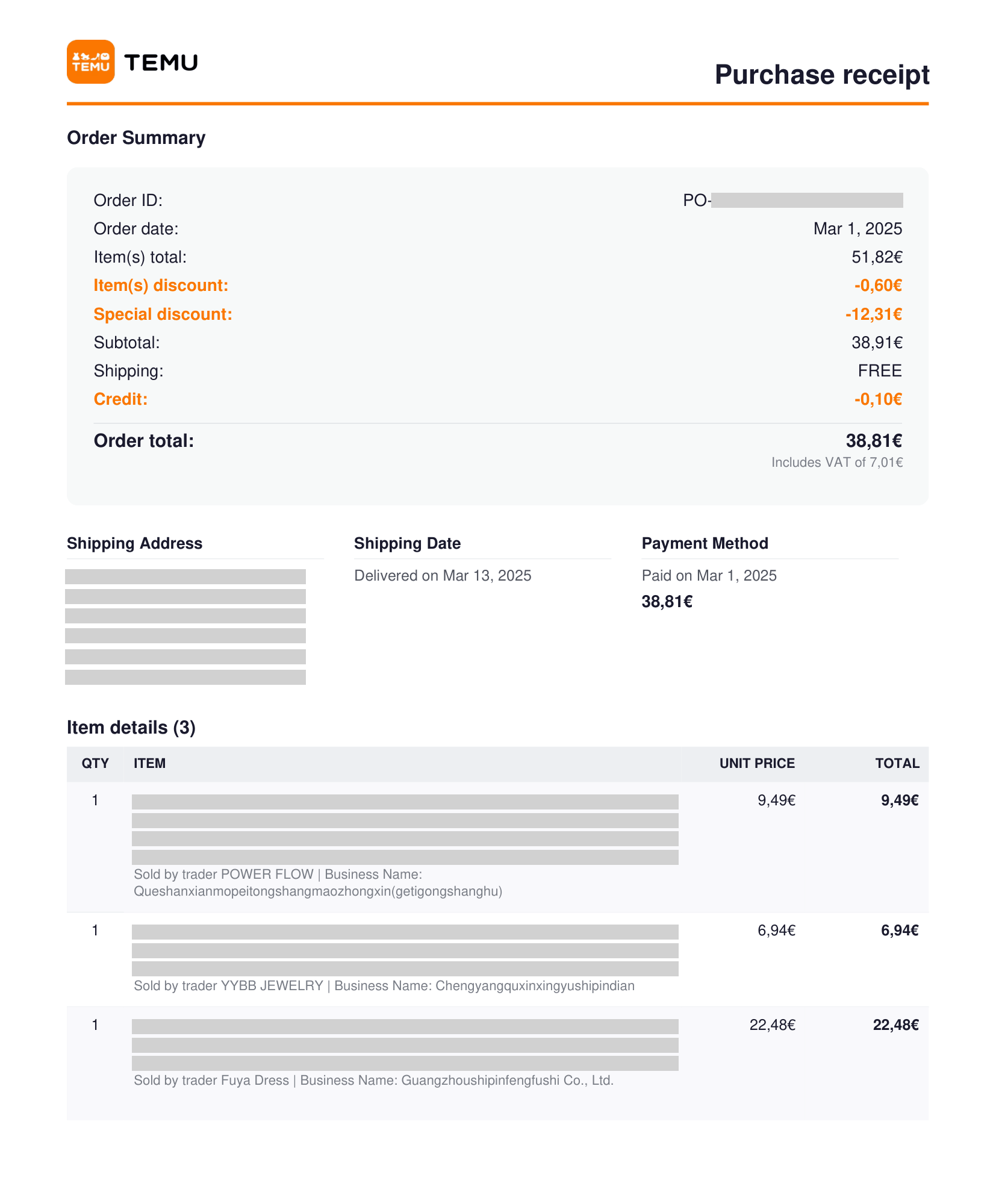
Turn your Temu orders into PDF documents
Save hours every month. One click does it all.
How it works
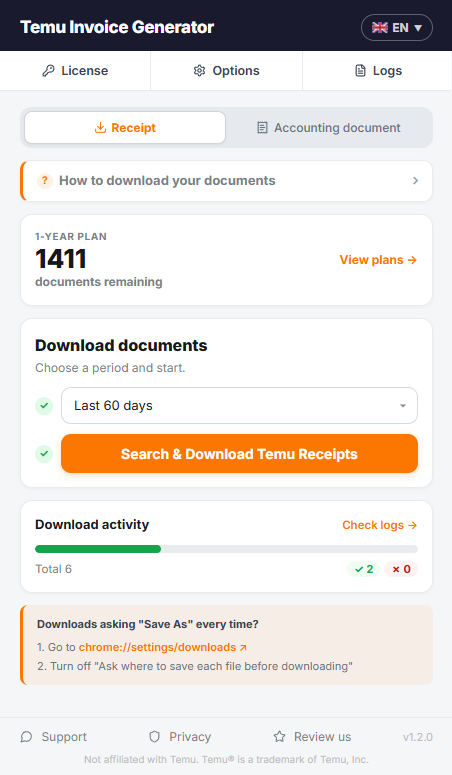
Temu Invoice Generator in 4 steps
- 1Install the extension from the Chrome Web Store.
- 2Activate it with your license key.
- 3Choose the document type and a time period.
- 4Click "Search & Download", tick the orders you want and confirm. Every PDF is saved and organized automatically.
Documents in 11 languages: English, Italiano, Español, Deutsch, Français, Português, Nederlands, Svenska, Dansk, Suomi and Magyar

Features
Two document types
Download a purchase receipt or create a numbered accounting document, with items and sellers for each order.
Automatic numbering
Enter your company details once and pick a format. Each document gets the next number, shown before download.
Batch download
Pick any period and get a PDF for every order, named and filed your way. Interrupted? Resume anytime.
Multilingual documents
Documents and interface in 11 languages, from English and Italiano to Português, Dansk, Suomi and Magyar.
Real-time progress
Follow every order live: a progress bar with done and failed orders, plus a log of each PDF saved.
Private data
Your PDFs are created on your computer and saved to your device. Order data never reaches third parties.
Pricing
Starter · 3 months
150
document downloads
Perfect for occasional Temu orders.
€4.99
Every 3 months
Auto-renews, cancel anytime
€3.33 per 100 documents
Standard · 6 months
500
document downloads
A flexible choice for regular Temu shoppers.
€8.99
Every 6 months
Auto-renews, cancel anytime
€1.80 per 100 documents
Plus · 1 year
1,500
document downloads
The best value for frequent Temu shoppers.
€14.99
Every year
Auto-renews, cancel anytime
€1.00 per 100 documents
Business · 1 year
5,000
document downloads
Designed for businesses with higher purchasing volumes.
€29.99
Every year
Auto-renews, cancel anytime
€0.60 per 100 documents
Code COMEBACK20: 20% off, already applied at checkout. Renewals are at the regular price.
Everything included in every plan
No hidden extras, no feature tiers.
Purchase receipts or accounting documents
Your company details and numbering
Folders and custom file names
Documents in 11 languages
Resume where you left off
PDFs created on your computer
Failed downloads never use credits
Cancel anytime, credits refill at renewal
Prices include VAT where applicable. Plans renew automatically unless cancelled. Secure checkout by Lemon Squeezy, a Stripe company.
Frequently asked questions
What does the InvoiceStack Temu extension do?
What’s the difference between a purchase receipt and an accounting document?
Is it an official Temu invoice?
Do I need to create an InvoiceStack account?
Can I try it before buying?
Still have questions? Contact support →
Related articles
More invoice tools
 Airbnb EU VAT Invoice Downloader Bulk download your Airbnb VAT invoices and credit notes in one run, ready for the reverse charge, in all 30 European countries.
  Amazon Invoice Downloader Download every Amazon invoice for a period in one run, from 10 European stores. Interrupted? It picks up where it left off.