

Open the order in Your Orders, open its receipt and print it to PDF. Every Temu order has its own receipt page on the website, and it is the page our extension reads, one order at a time. Temu’s Terms of Use don’t mention a receipt; they say “You can download your order summary from our website”.
Note: This article provides general information about Temu receipts and is not tax advice. VAT treatment depends on your country and individual circumstances, so you should confirm the correct treatment with your accountant or tax advisor.
Save one receipt as a PDF
- Sign in on the Temu website and open Orders & Account. Temu’s return policy calls the order list the Your Orders page.
- Find the order and open it.
- Open the order’s receipt. Labels can differ between countries and between the website and the app; we describe the website.
- In Chrome, press Ctrl + P (⌘ + P on a Mac). In the print window, choose the destination: Save as PDF gives you a file instead of paper. Chrome’s help page on printing describes the same window.
Name the file with the order ID, which starts with PO, and it will be easy to find again.
If you can’t find the receipt you need
- One payment, several orders. Temu’s terms say you can pay for several orders in one transaction and receive them in one package. The receipt belongs to the order, so check each order in the list.
- Signed in to the right account? Orders belong to the account that placed them.
- Still missing? Temu’s contact page offers a 24/7 customer service chat and the address contact-us@emea.temu.com. Give the order ID.
The receipt is not a VAT invoice, and Temu doesn’t give shoppers one. That matches what we found on our own orders, and what people who write to us say.
When it’s more than a few orders
The four steps above are fine for one order and slow for a year of them. Temu Invoice Generator does the opening and saving for you: pick a period on the Receipt tab, click Search & Download Temu Receipts, untick what you don’t want and confirm.
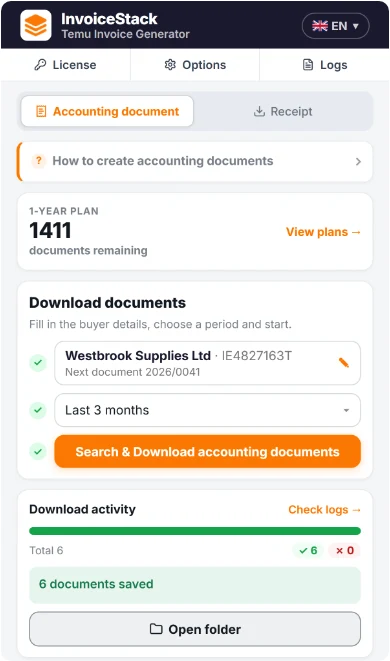
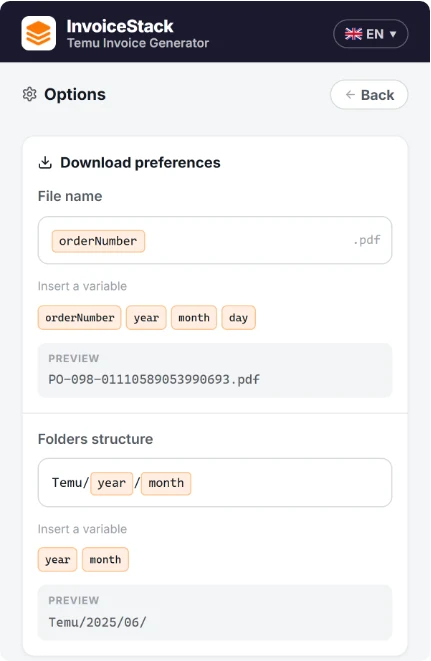
It doesn’t download Temu’s page. It reads the order data from each receipt page and builds its own PDF on your computer, titled Purchase receipt, with the shipping address, payment method, items, sellers and Temu’s totals. The footer says it was generated by InvoiceStack. The files are named and filed the way you set them up.
For a few receipts a year, the print window is enough. For more, you can try the extension with your first 5 Temu documents for free, with no credit card required. Our longer guide covers downloading documents for every Temu order in a period.
Frequently Asked Questions
Is a Temu receipt the same as the order summary?
Temu’s terms only mention an order summary you can download from the website, and they don’t describe the receipt page. We can’t tell you from the terms whether Temu means the same document.
Is a Temu receipt a VAT invoice?
Temu’s terms don’t call it one, and they don’t describe a VAT invoice for shoppers. If you need one, see whether Temu provides VAT invoices.
I paid once for several orders. Is there one receipt?
Temu’s terms say several orders can be paid in one transaction and delivered in one package. Each order still has its own receipt page, so look for each order separately.
Can I get receipts for many orders at once?
Temu Invoice Generator creates a PDF for every order in a period you choose. It builds them from the order data; they are not files issued by Temu.